
AI Fashion Model Generator: Put Your Clothes on a Model
Turn a flat lay, hanger or mannequin photo into on-model images. 14 AI models, real poses, 2K output.
AI-generated model
AI-generated model
6 credits for Studio, 7 with a scene preset · AI model photos are labeled for Amazon automatically
Key facts
- Shelfcanvas, an AI fashion model generator for clothing sellers, puts your garment on an AI model from a single flat lay, hanger or mannequin photo.
- The garment is matched to your photo: buttons, closures, length, prints and logos are checked against the original, and the image is redone once if something is off.
- Choose from 14 AI models of different backgrounds in standing, walking and seated poses.
- Each image is about 1760 × 2368 px and uses 6 credits for Studio or 7 with a scene preset.
- Downloads carry the contains-synthetic-performer label Amazon asks for on fully AI-generated people.
AI-generated model
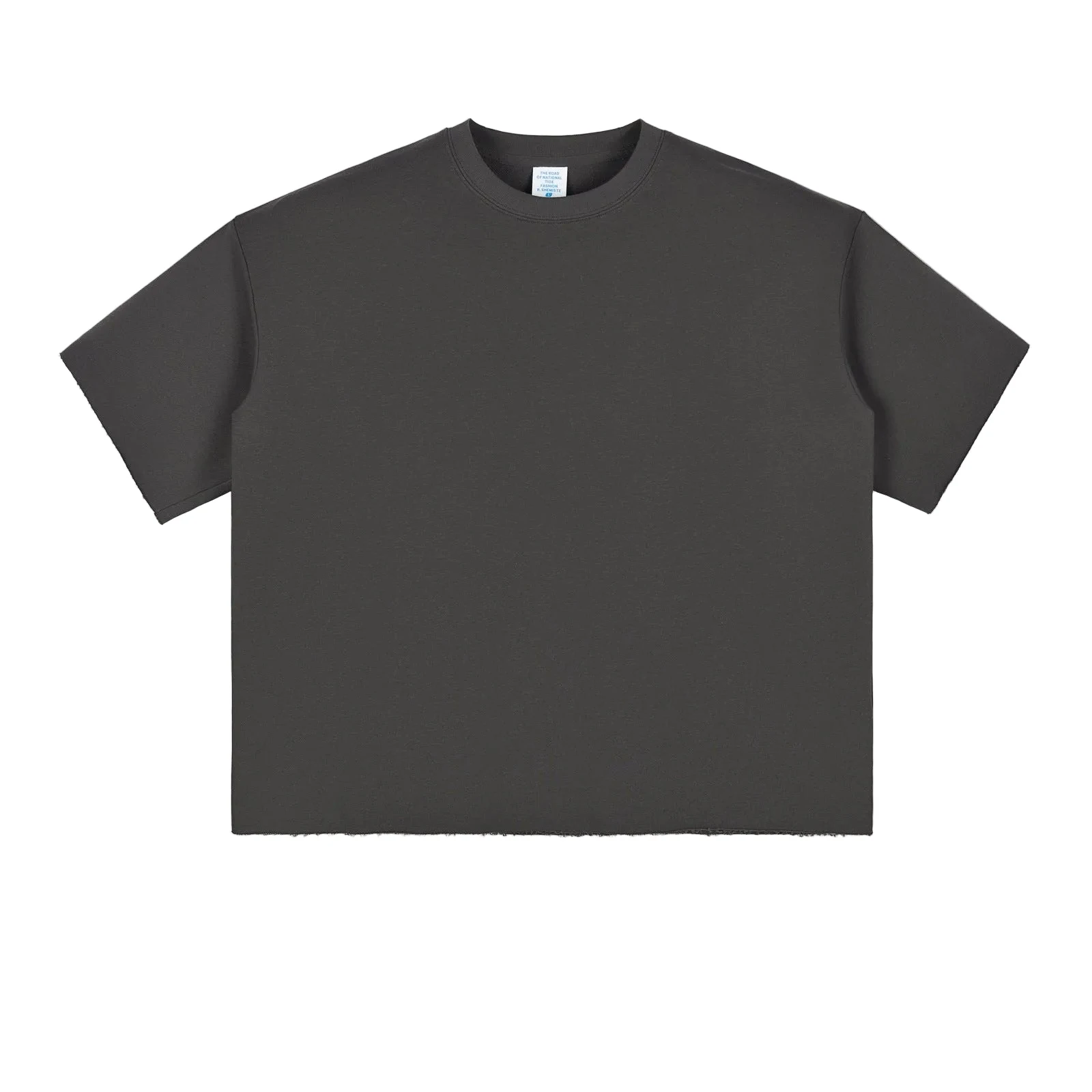
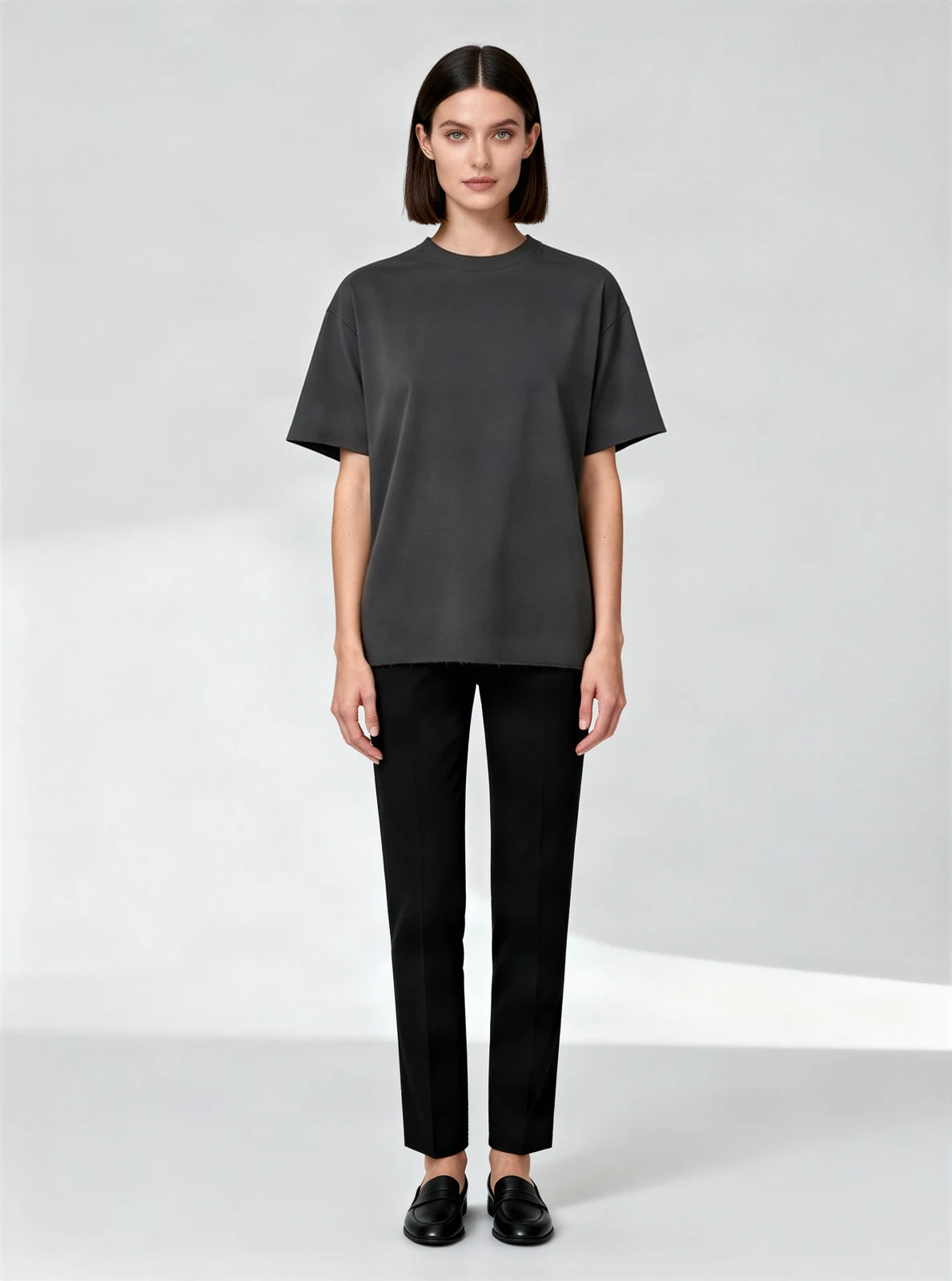
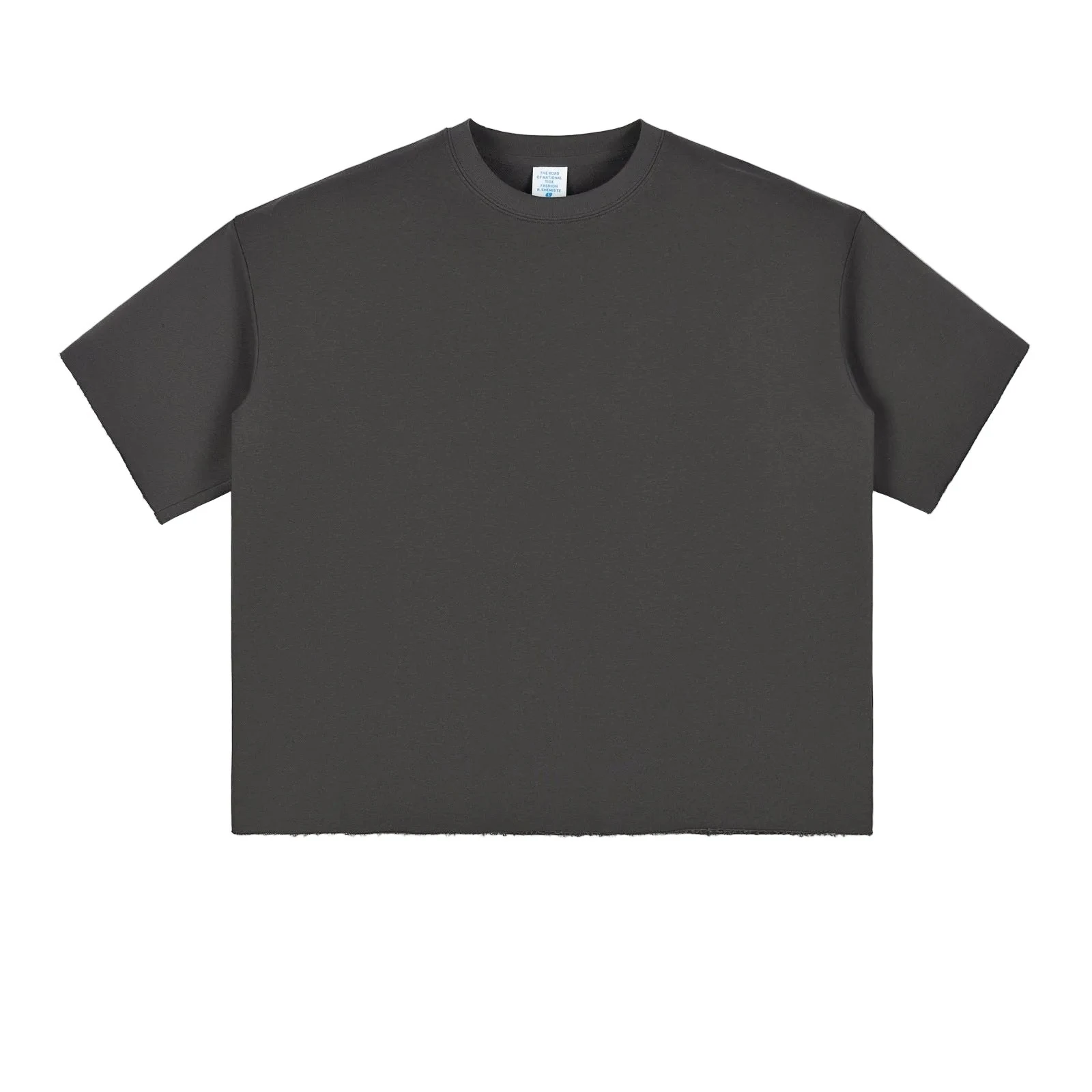
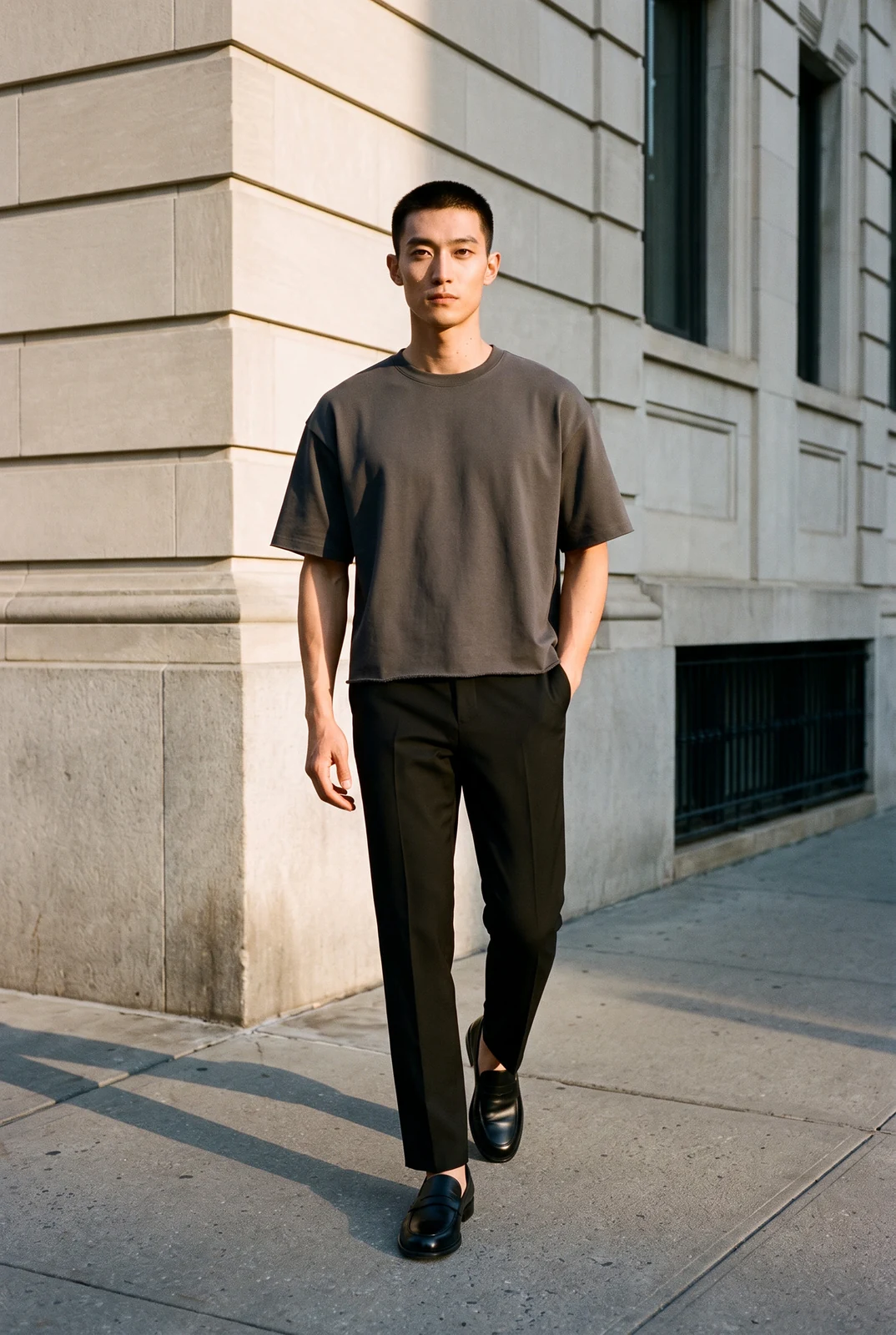
From flat lay to model
Print kept
Plain charcoal tee
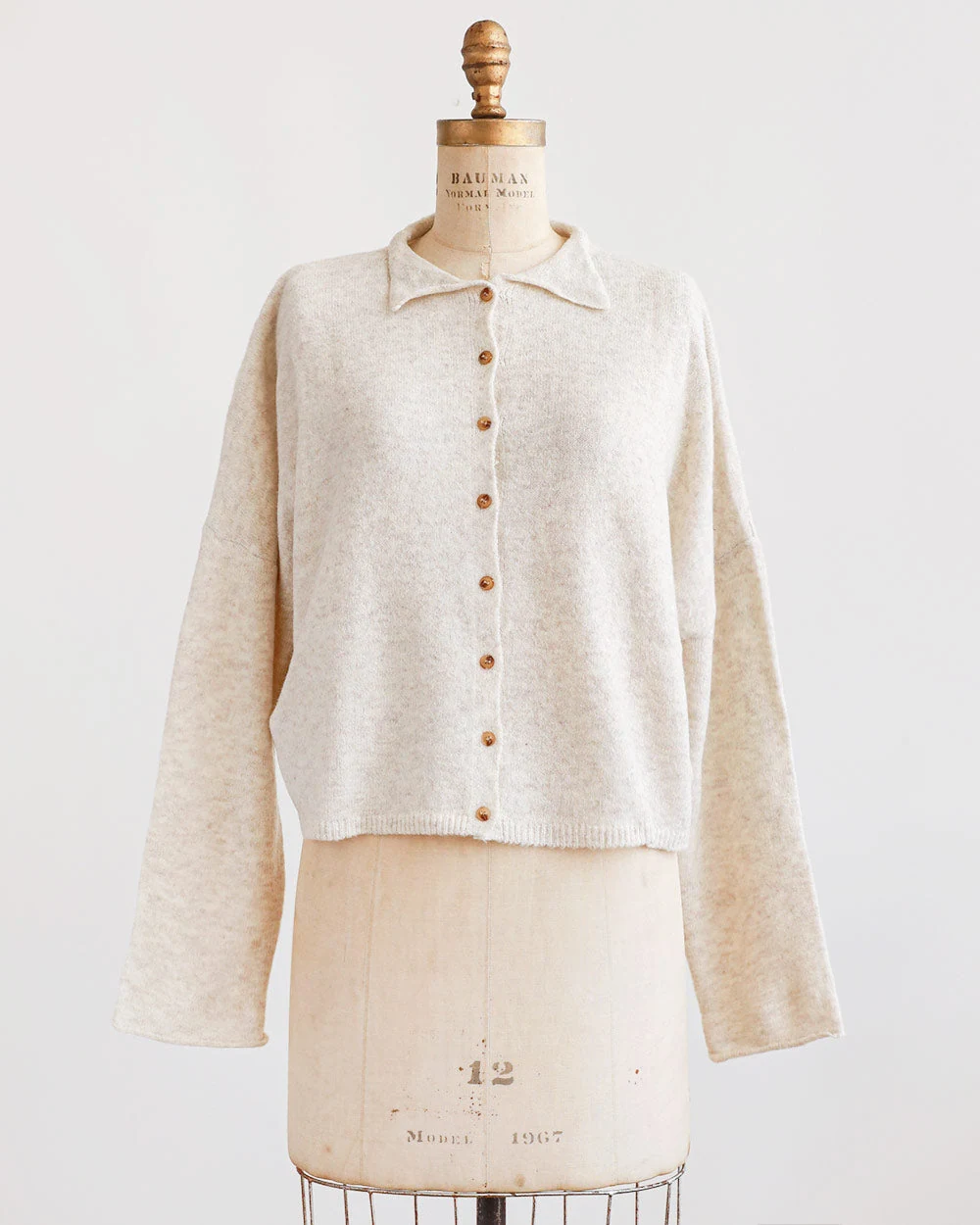
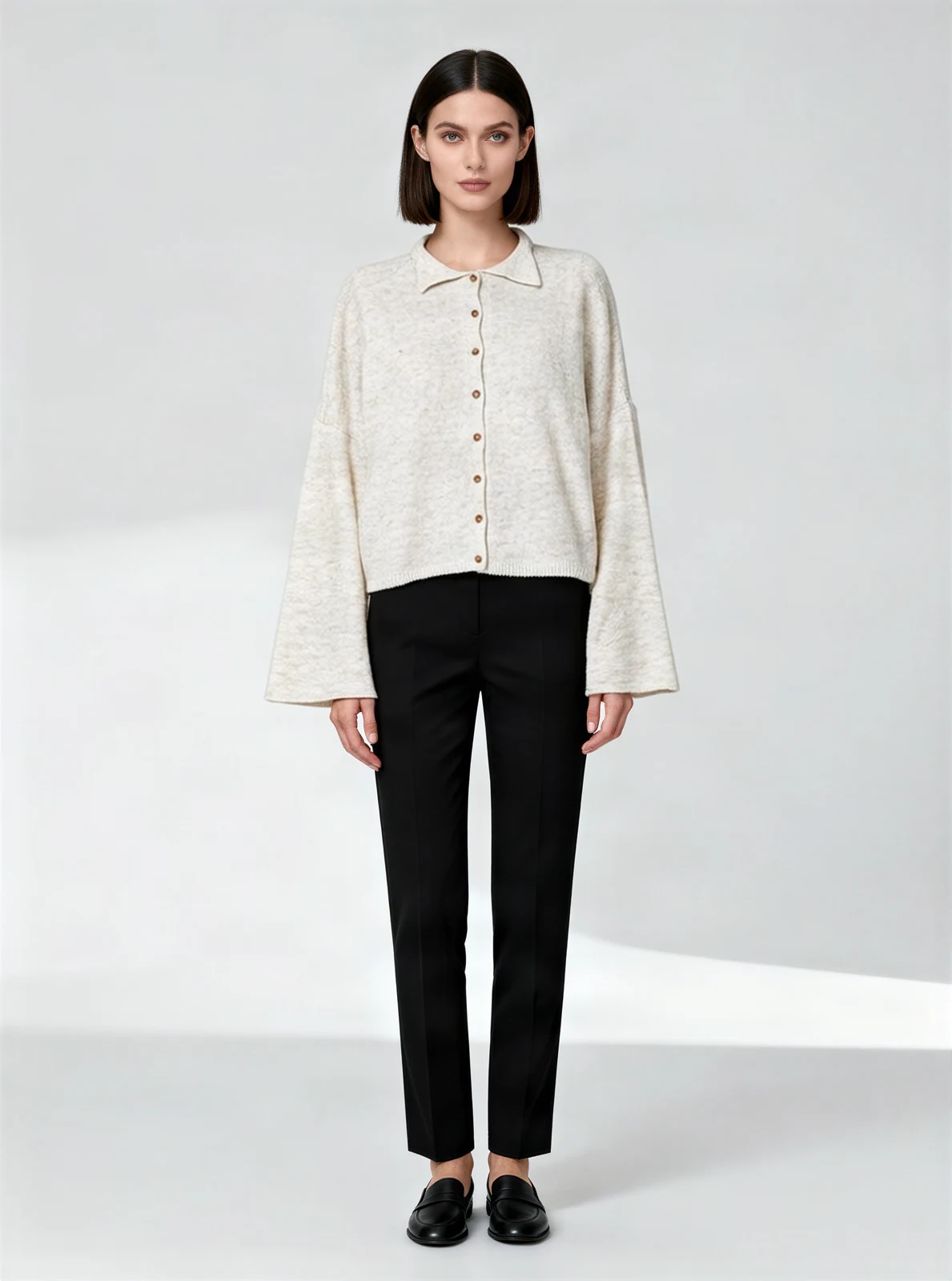
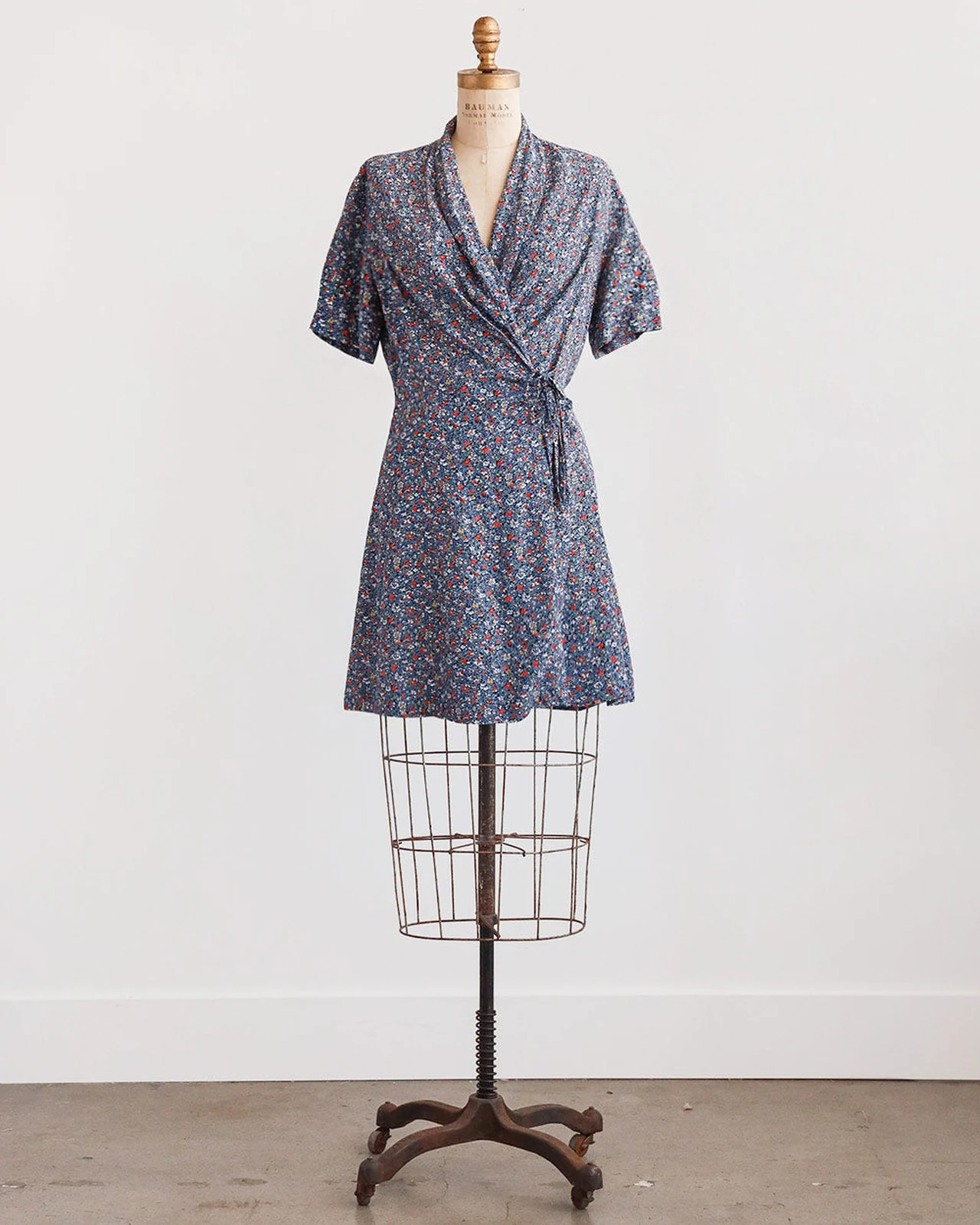
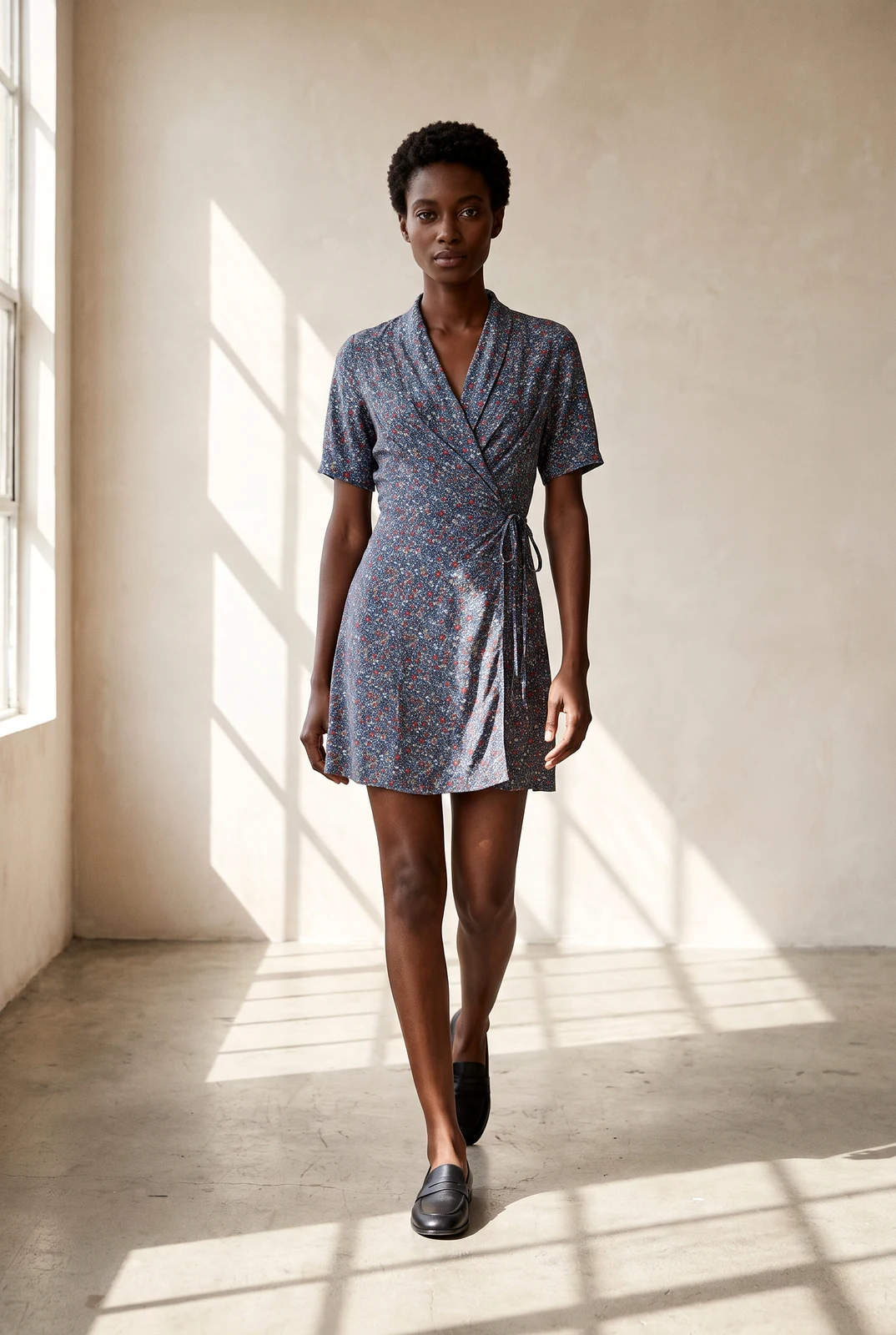
From dress form to model
Length kept
Cream buttoned cardigan
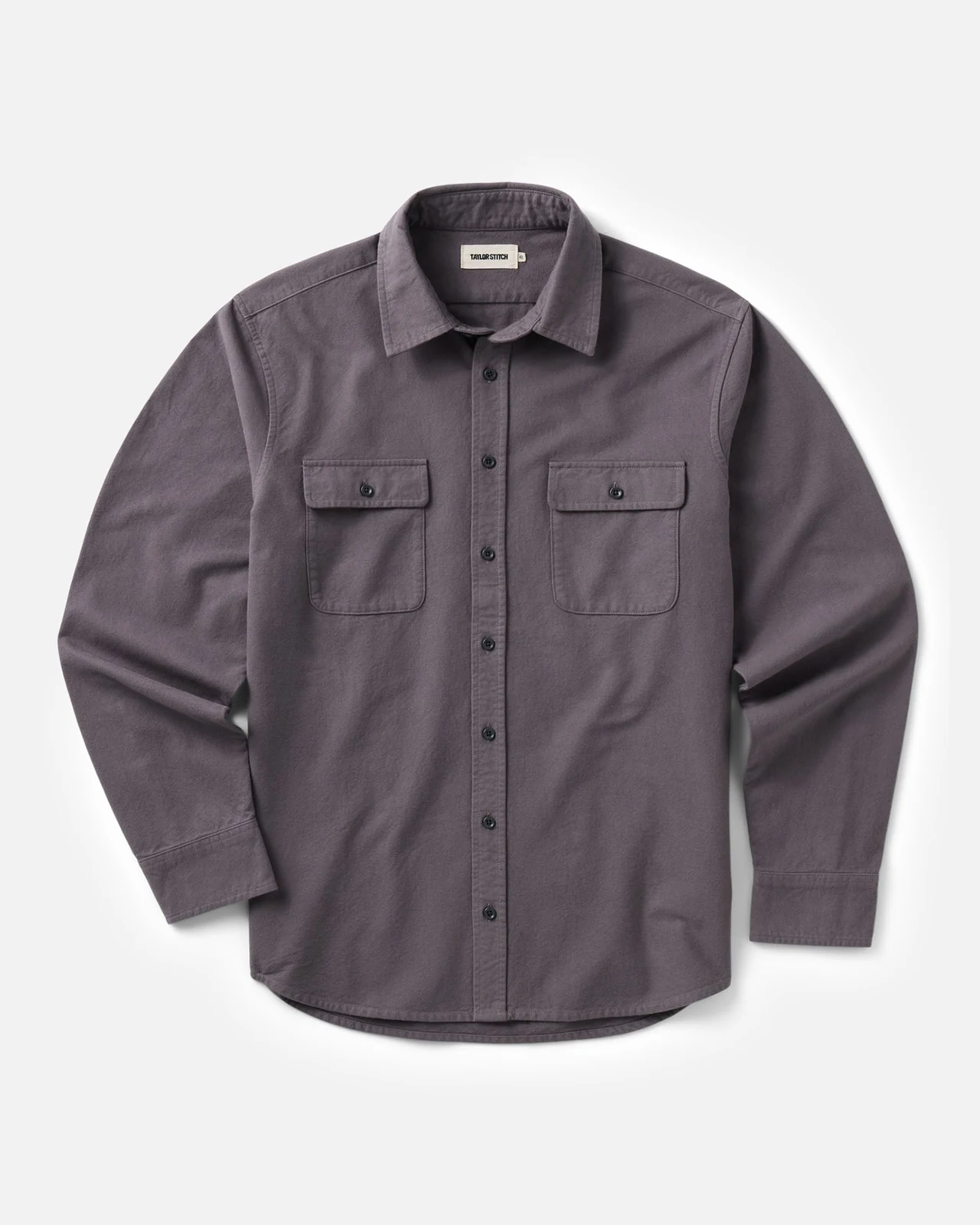
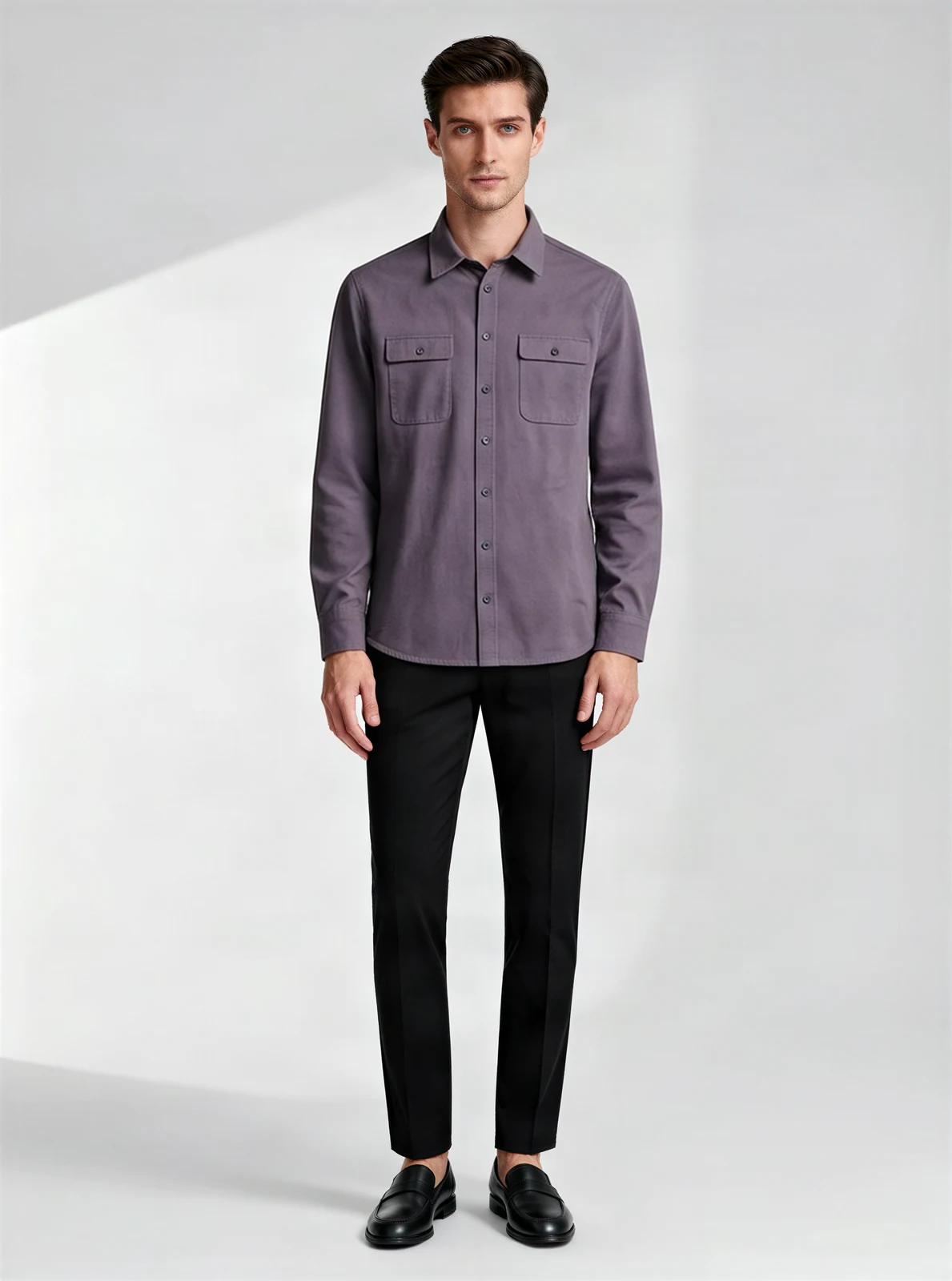
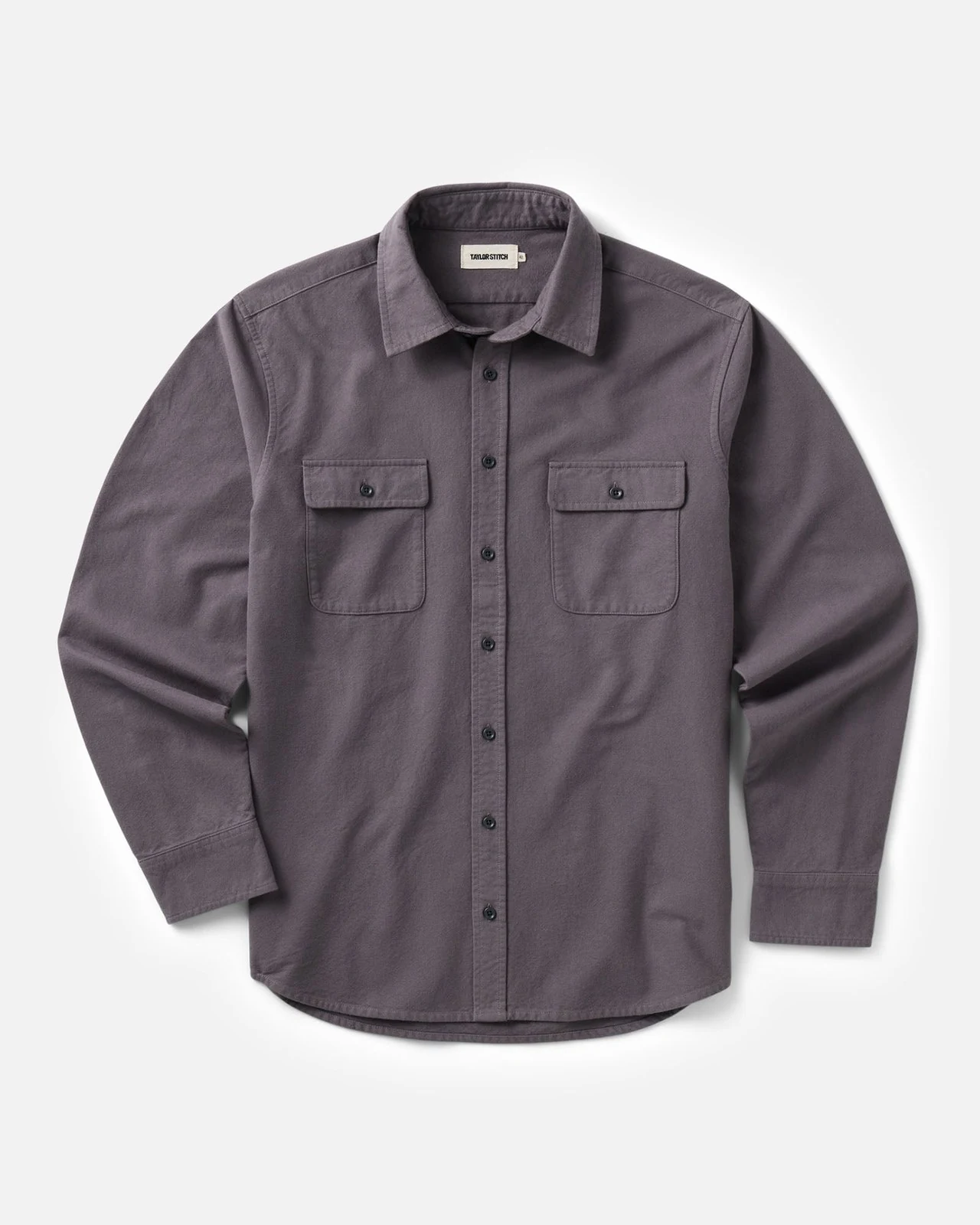
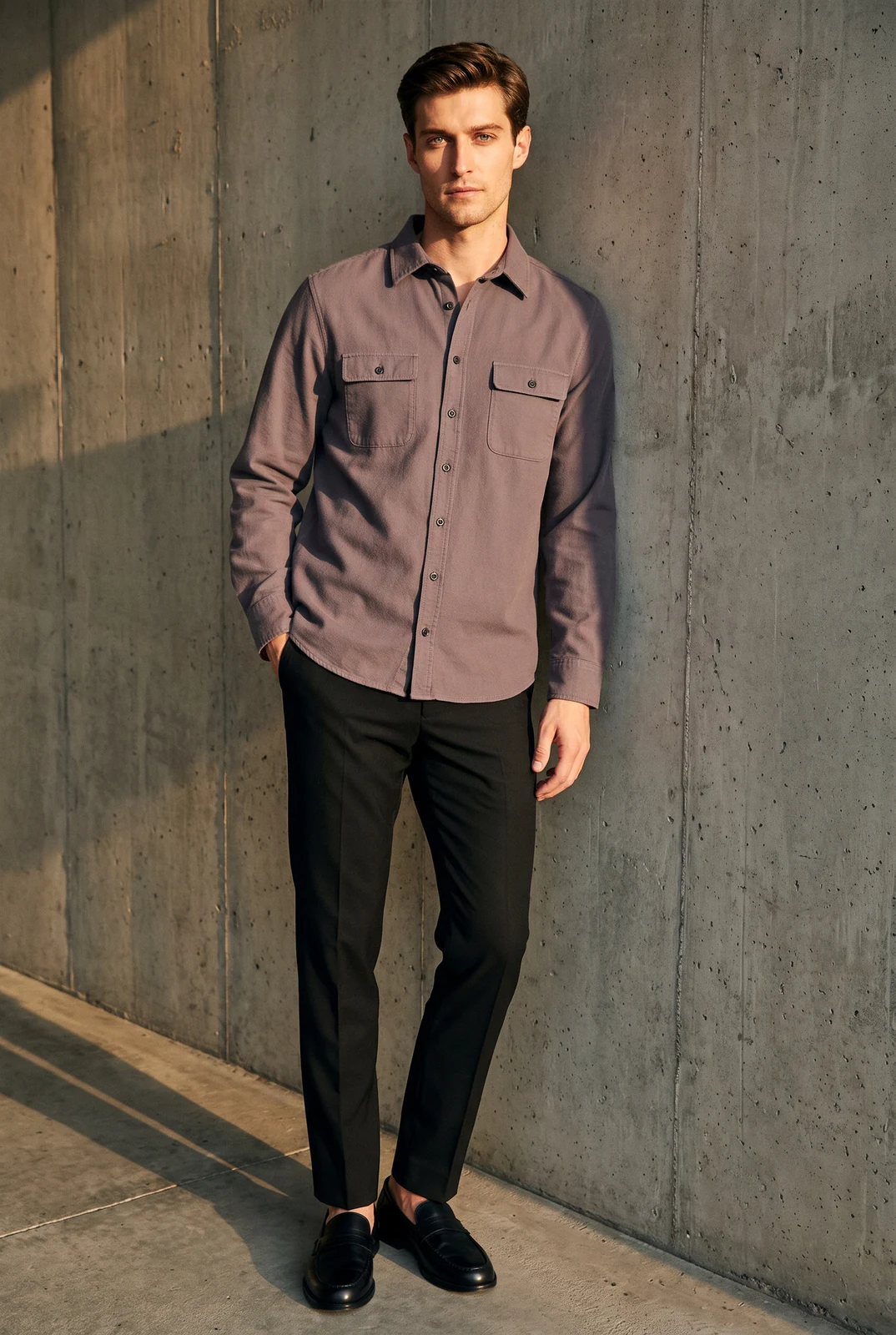
From flat lay to model
Buttons kept
Gray-purple shirt with chest pockets
Real results, not retouched. Models are AI-generated.
Choose your AI fashion model
14 AI fashion models with different looks. Pick a model, pose and scene preset before generating. Studio uses a studio background for 6 credits; a scene preset uses 7 credits in one generation.
Four women and four men — European, East Asian, Black, Latina and South Asian — so you can match the model to who buys from you.
AI models for Amazon clothing listings
- Amazon's apparel imaging guidelines (2021) ask for adult clothing main images on a model, cropped from the nose down, on pure white — no kneeling, leaning or lying down.
- Choose Amazon main when you export: the image is cropped below the nose and placed on pure white, for 1 extra credit.
- Every AI model image is saved with the contains-synthetic-performer label in its file data, which Amazon asks for when a realistic person is fully AI-generated.
- The photo has to show your real garment accurately — that part stays your responsibility as the seller.
Last checked against Amazon's apparel imaging guidelines on October 10, 2026. How we check →
AI-generated model
How to put your clothes on an AI model
- 01
Upload a product photo
A flat lay, hanger or mannequin photo of one garment, the whole item in view, in even light.
- 02
Choose a model, pose and scene
Pick one of 14 models. Standing is the default pose. Keep Studio for a studio background, or select a scene preset before generating.
- 03
Generate and download
Press Generate (6 credits for Studio, 7 with a scene preset). Log in or create an account if you haven't — your photo and settings are kept. Export for Amazon main, Amazon gallery, Shopify or social.
AI-generated model
Choose a scene before you generate
Select a street, loft, café or studio scene preset in the composer or Studio and generate the on-model scene in one step for 7 credits. Keep the default Studio background for 6 credits.
Choose a scene before you generateWhat you can put on a model
- T-shirts, including large logo prints · sweaters and cardigans · shirts and polos · simple dresses
- Pants and skirts in beta
- Coming soon: jackets, zip-ups and hoodies — for now, try Ghost mannequin
- Children's clothing, swimwear, underwear and sheer fabrics aren't available; for kids' clothing, use a flat lay on a white background.
Most AI model tools redraw your garment. Shelfcanvas places it from your photo, then checks it. Here's what we found testing it on real product photos, and what to look at before you publish.
How accurate are AI fashion model photos?
| Garment | What we check | What to look at yourself | In our tests |
|---|---|---|---|
| T-shirts, including large logo prints | Print position, logo, length | Small text inside the print | Ready to use in 8 of 10 open-category garments |
| Sweaters and cardigans | Closure, length | Button count | 3 of 3 cardigans: buttons and length correct |
| Shirts and polos | Closure, inner label hidden | Buttons on the placket | 1 of 2 polos added a button — check the placket |
| Simple dresses | Length, hem | Gathers and ruffles | Simple cuts kept; gathered skirts in beta |
| Fine embroidery, cutwork, all-over small prints | Text flagged for review | Fine detail at 100% zoom | Beta — fine detail can soften |
| Jackets, zip-ups, hoodies | — | — | Coming soon: closures and length weren't kept reliably |
Checked automatically on every image: closures (open or done up) matched the original in 10 of 10 test garments, inner labels were hidden in 20 of 20, and printed text is flagged for you to review. If a check fails, the image is redone once and the better version is kept.
Shoot every new drop on the same model, in the same light, the same afternoon you get the samples — ready for your lookbook, line sheet and product pages.
Build an AI lookbook without a photo shoot
| Model photo shoot | Shelfcanvas | |
|---|---|---|
| Cost per image | Quoted by the photographer | 6 credits for Studio, 7 with a scene preset |
| Booking | Model, photographer, studio | None |
| Turnaround | Days to weeks | Same day |
| Same model across the collection | Rebook the same model | Always |
| Reshoot a new color | Another booking | Upload the new photo |
What a usable photo costs
A generated image uses credits; choose Studio or a scene preset before generating. A photo shoot can still be useful when you need a specific real person.
For clothing brands launching new collections
On-model images for every launch and season. Show your new garments without booking a model.
One look across a collection. Choose the same AI model, pose and scene preset for every garment in a drop.
Clothing on AI models from a flat lay. Show fit and styling without booking a model.
Planning a launch set
- Upload a product photo: a sharp flat lay, hanger or dress form photo of each garment.
- Choose the same model, pose and scene preset for the whole collection, then press Generate.
- Download for your store, then make extra versions for social and ads.
Live model photography vs. AI fashion models
- Move from a garment photo to an on-model image in minutes, without waiting for a model's availability.
- Try one piece before preparing a full collection, with no minimum image order.
- Upload your clothing photos without sending a sample wardrobe or coordinating fittings with a crew.
- Generate a fresh version with the same model and scene preset to carry one visual style across a new drop.
A live model shoot is the better fit when the project calls for a real person's performance and collaboration with an art director, stylist and photographer on set.
FAQ
AI model photos use 6 credits for Studio or 7 with a scene preset.
For ecommerce, pick one that keeps the garment exactly as it is. Shelfcanvas puts your real garment on an AI model and checks buttons, closures, length, prints and logos against your photo, then exports for Amazon, Shopify and Etsy with the AI label already in the file.
Shelfcanvas, an AI fashion model generator for clothing sellers, puts your own garment on one of four AI male models — European, East Asian, Black and South Asian — straight from a flat lay or hanger photo. Each image is about 1760 × 2368 px and is checked for buttons, length and logos before you download. Every file carries an AI-generated label, so it's ready for Amazon, Shopify and Etsy listings. 6 credits per image.
Skip stock photos and put your own clothes on a model with Shelfcanvas. Stock images show someone else's garment, so they can't show the item you actually sell; Shelfcanvas takes a flat lay or hanger photo of your piece and returns it on one of 14 AI models for 6 credits for Studio or 7 with a scene preset.
Yes. Pick the same model and scene preset before generating each garment; scene photos use 7 credits each in one step.
Shelfcanvas uses credits for each image, with no model booking or studio hire. A real shoot still makes sense for a campaign featuring a specific person.
Yes. Images you make with Shelfcanvas are yours to use in listings, ads and social posts, at full size with no watermark. Each file is labeled as containing an AI-generated person, which Amazon asks for and which keeps you transparent with shoppers.
Realistic enough for product pages: Shelfcanvas models are generated as studio photos with natural skin and light, and the garment comes from your own photo, so fabric, color and prints look like the real thing. Check fine details such as buttons before you publish.
It's placed from your photo, not redrawn, and checked for closures, length, inner labels and printed text. In our tests, 8 of 10 garments in the open categories were ready to use on the first pass; check buttons and fine print before you publish.
One garment, fully in view, in even light: a flat lay, a hanger shot or a mannequin shot. Remove tags and props, and photograph closed items closed — buttoned shirts buttoned, zipped items zipped.
It's built not to. Your garment is placed on the model from your photo, then checked for closures, length, inner labels, prints and text; if something is off, the image is redone once and the better version is kept. Check small details such as buttons on the result before you publish.
Yes, for product and lifestyle images, as long as they show the real garment accurately. Amazon asks for fully AI-generated realistic people to be labeled in the file's metadata (contains-synthetic-performer); Shelfcanvas adds this label to every AI model download, and Amazon may show a note that the image contains an AI-generated person.
Yes. Shopify has no rule against AI models. On Etsy, photos must show the actual item you sell, so the garment has to be your real product.
An AI model shows how the garment looks on a body. Use your size chart and measurements to show how a specific size fits.
Keep the image to what you sell. Extra items in a main image can make buyers think they're included; put styled outfits in gallery or social images instead.
Choose from Shelfcanvas's own 14 AI models, generated for the tool. For photos using your own model, start with a separate photography workflow.
For children's and baby clothing, use a flat lay on a white background, as Amazon asks for main images. Shelfcanvas's AI models are adults.
Press Not right? Send it to us under the result, add a note, and we reply within 48 hours; daily submission limits apply.
Put your first garment on a model
6 credits for Studio, 7 with a scene preset · 14 AI models · Labeled for Amazon
Upload a product photo